
Journeys
In short, a dev environment is a place that has everything your software requires and is isolated enough to become your private playground.
Though many modern engineers have a lot of experience with web applications, they barely touch things below the application level. At this point, the OS becomes mystical ancient knowledge belonging to our ancestors in spite of its simplicity, especially for Windows users. Windows does its job so well for normal users and is so complicated for anyone curious about its internals. This OS turns us into mouse clickers fully reliant on a Graphical User Interface (GUI), requiring us to comply with hundreds of procedures just for one modification in system settings.
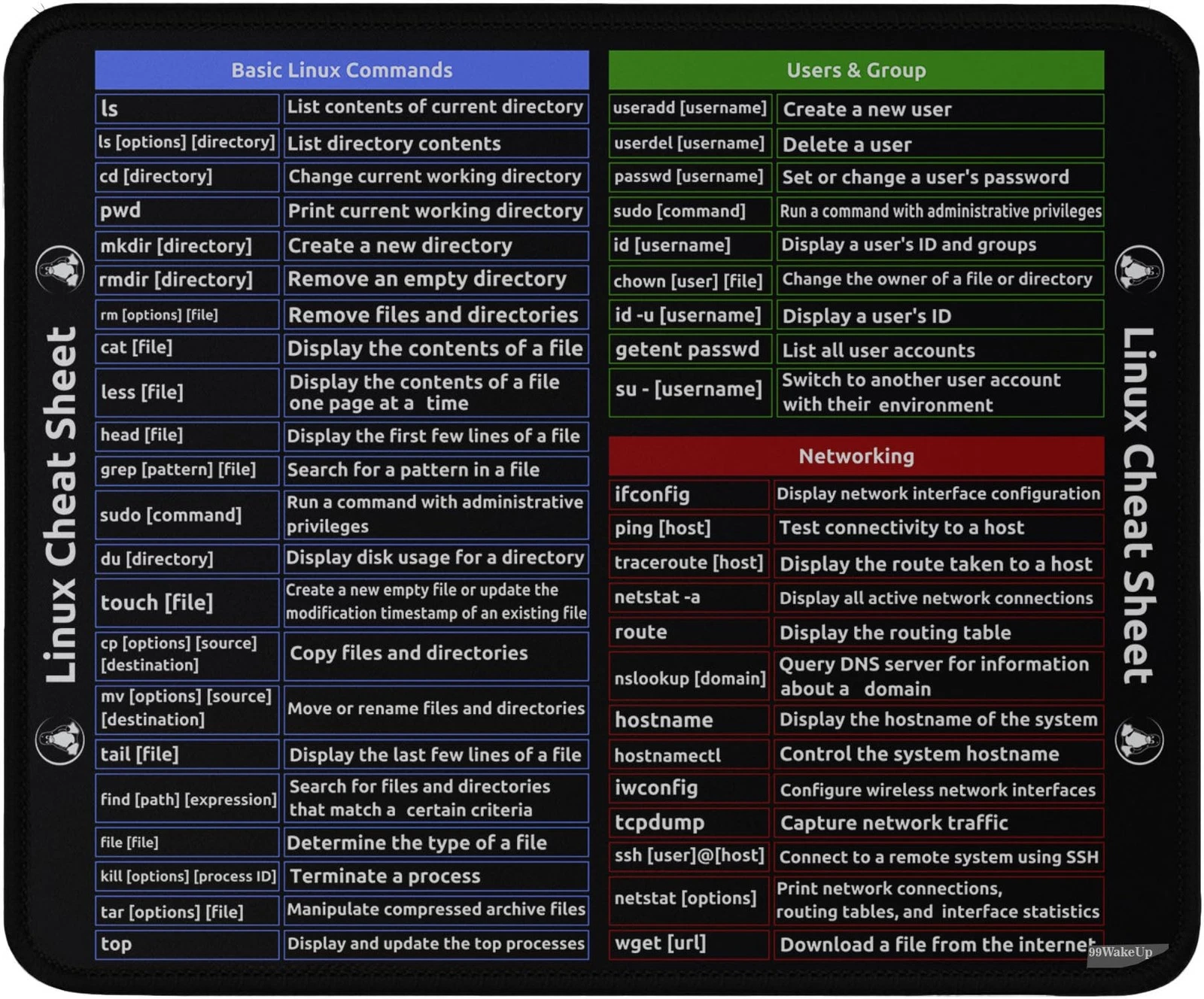
Actually, Operating Systems were born for only one main reason: managing computer resources. Because of that primitive purpose, an OS usually offers a few CLI commands and Application Programming Interfaces (APIs) to manage files and settings. This is the main reason that an Ubuntu Server guide can be wrapped inside a mousepad, and that mousepad is also the shortest way to explain the history of the software industry.
The interesting part is that Linux is not a single specific operating system. Linux is just an open-source kernel; different organizations and communities package it with their own package managers, system tools, and update cycles. These different flavors are called distributions, or "distros".
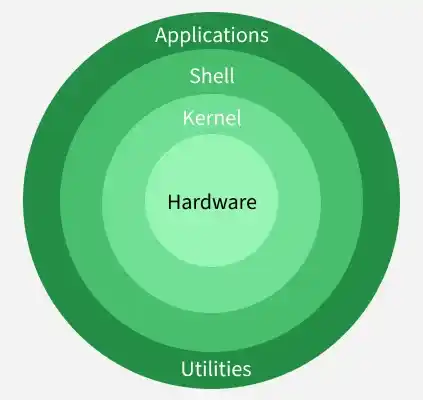
From this perspective, you can see that developers can create a distro on their own (requiring a lot of time) by following specific rules. You might not have noticed, but this concept is everywhere in our lives—the most obvious example is when spies in movies trigger a laptop to boot an OS from a tiny USB drive before jailbreaking a server like this.

There are various distros in the market, but you have likely heard of these before:
In my very first mini PC, I chose Ubuntu Server.
As mentioned in the previous section, from a bottom-up view, you have hardware and APIs on top of it, which forms the Linux kernel. You use these APIs, add some features, and call it an OS. Finally, a software engineer working on this layer builds an application on top of it to satisfy end-user requirements.
From a top-down view, software engineers use specific tools to interact with lower-layer APIs; the tool they use is called a Programming Language. A programming language is a combination of rules and syntax that allows humans to understand and modify a program's logic flow. Throughout history, we have created programming languages for each layer of a computer—from Assembly, which directly maps to binary code in a specific OS, to cross-platform languages that can run on any OS. Cross-platform languages are actually simpler than we think: they add an abstraction layer for each OS. These layers become simpler and reach their ultimate simplicity when compiled or interpreted down to the binary layer of 0 and 1.
These abstract layers take various forms. A JavaScript script can be executed using a browser (Chrome, Edge, etc.) or a Node.js runtime environment, Java requires the JVM, C# requires the CLR, and so on. When this abstract code needs to be parsed into binary code for a specific kernel, each language relies on its execution layer. This allows programming languages to remain dynamic at upper layers while staying mostly unchanged at the base layer, saving enormous effort when porting languages to new operating systems. In the end, we achieve the famous paradigm: Write once, run everywhere.
In short:
- To code JavaScript, I install
nvmand then install Node.js 24.- To code .NET, I install the
.NETSDK/runtime.- No other specific tools are needed to run my scripts—IDEs are just tools that allow us to edit code easily.
Each software project requires specific dependencies, whether system packages or external services. As my project count grew, I needed to isolate these dependencies into scoped environments. In the past, people only had the option of creating heavy Virtual Machines (VMs) to isolate software all the way down to the kernel level. Today, we have lighter, faster, and more efficient solutions: we use Docker containers to isolate projects at the OS level. A Docker container's environment and networking can be easily scoped and configured, making it perfect for a budget-friendly mini PC. Containers need a management tool, and I chose Docker Swarm for this scope.
Tips:
- You can easily set up a shared database by running a single Docker command in your terminal:
docker run --name my_postgres -e POSTGRES_PASSWORD=mysecretpassword -p 5432:5432 -d postgres- For other project dependencies, you can isolate them in their own network and environment using
docker-compose.
This is one of the most fascinating parts because modern operating systems do not require heavy manual configuration just to publish a website. There are two parts to consider in this section: Local Networks and the Public Internet. Local encompasses every device connected to your Wi-Fi router. On the other hand, the Public Internet means exposing your web application so anyone can access it regardless of geographic location.
In movies, hackers often attack a target device once they know its IP address. This is partially true, but every device connected to a router exposes an IP address so others can interact with it—subject to security rules enforced by a firewall. A firewall is a security layer where we configure allowed network actions; it is simple yet effective. Hackers can only exploit a device if a port or service allows interaction. From that standpoint, an attacker is initially acting no differently than any other user.
When hosting a website running on
localhost:3000on your mini PC, you can access it locally usingyour-mini-pc-ip:3000. Your mini PC's IP should be an IPv4 address, which is visible when logging into your server. If you use a desktop OS, searchHow to find my IPv4 on [your OS].
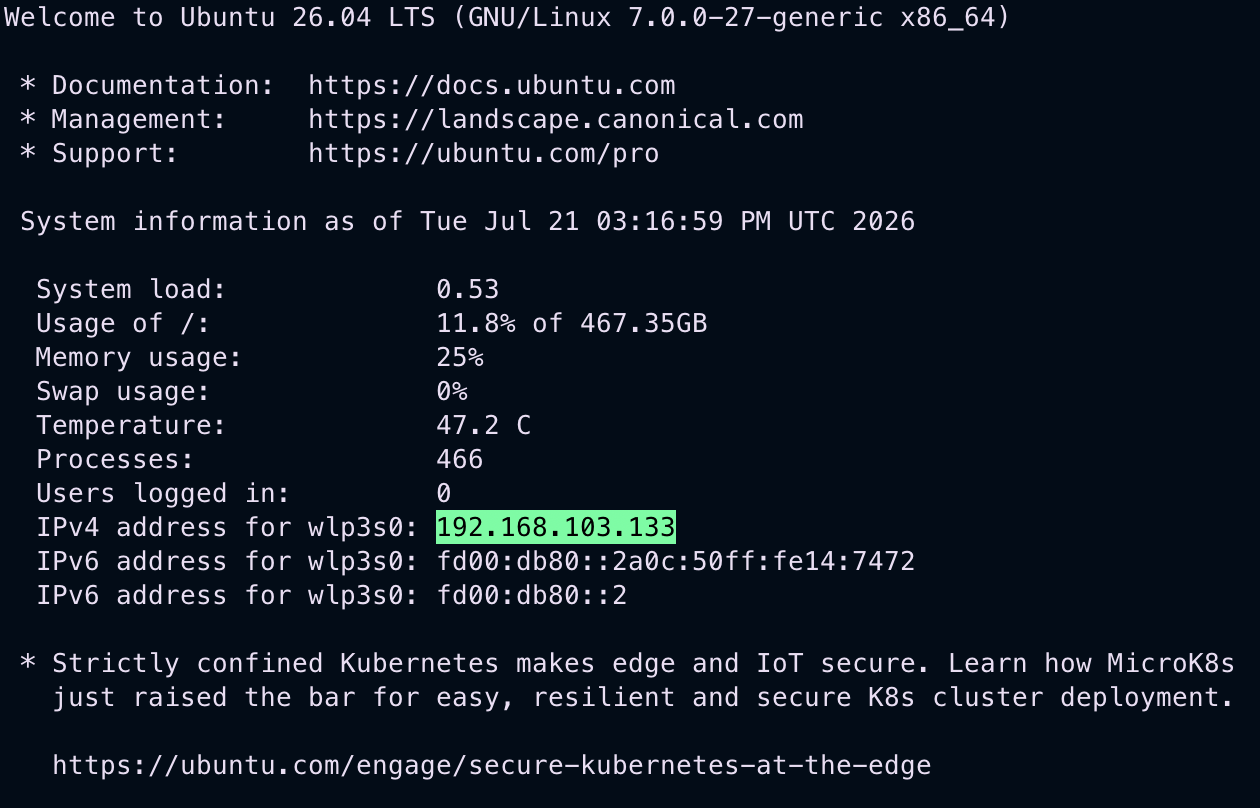
You can manage your mini PC via SSH using the command:
ssh user@your-mini-pc-ip
Exposing your IP directly to the internet requires sound security knowledge. Exposing a device without proper protection can make it a target for internet scanners or novice hackers. You might ask why I say "novice"—because hacking a personal home device yields little financial profit. So don't worry if your setup is modest. Fortunately, cloud providers offer useful solutions for developers. In my setup, I use Cloudflare Tunnel to protect my server from malicious traffic from the public internet.
Don't worry about using existing solutions instead of creating your own tools from scratch—that's how technology advances. You already reused existing work when installing the server OS.
Don't reinvent the wheel.
nvm for Node.js and installed .NET.